Archive for the 'electronics' Category

Most iPhone users love AT&T

An article that appeared the other day on CNN money made me laugh. The link to the article is here: http://money.cnn.com/2010/07/23/technology/iphone_4_att/

Anyway, the article seems to be the typical attention grabbing headline regarding the iPhone.  I assume that CNN gets ALOT of traffic (and add dollars) when they have iPhone articles.  I know I do – when I post something about the iPhone on this blog, the number of hits rises DRAMATICALLY!!  I will update this post if the hits actually do rise in a significant fashion.

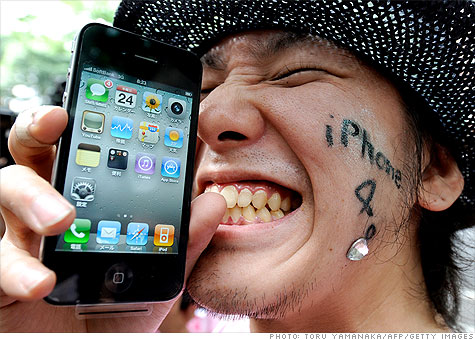
So, the article is saying that most people like the AT&T service, even though the media makes it sound like AT&T is just terrible.  Whether AT&T is terrible or not, is not what I am writing this post about, but rather the photo at the top of the article.  The happy iPhone user in this image is not using AT&T.  He is using Softbank.  It is very clear from the credits and from the image itself that the user is not using AT&T and is located in Japan.  Softbank is the sole service provider of the iPhone in Japan — just like AT&T is in the USA.  As I have traveled to Japan many times, and I have rented a Softbank sim card for my iphone 3G, I can attest that Softbank does indeed offer better service in Japan than I am used to in New York City.

I find it odd that CNN couldn’t find an image of an American user with the AT&T logo to use in such an article.  What’t up with that?  It really doesn’t support the gist of the article at all – for reference, I am linking to the image here:

He is happy because its Softbank, not AT&T

iPhone commercial redo

This is a really funny play on the original iPhone commercial. Its not far off base in its humor, which is slightly sad. Hurry up with Windows Phone Microsoft!!!

Update to AT&T Microcell

In the course of the last 2 weeks, I have been testing out the AT&T 3g microcell to see if it would improve my cellular service in Brooklyn, NY. After 2 weeks, I have to say that I am generally pleased withe the device. Here are some of the pluses:

1. It generally “just works”
2. Aki and my iphones switch to the microcell almost immediately when we come home (as they should)
3. The voice service is VASTLY improved, and I have not dropped a call since I had the microcell.

Now for the negatives:

1. On day one, the microcell connected at first and worked great. It immediately proceeded to lose its GPS signal (which is required for the device to work) and took hours to reconnect again. This has not happened since day one, but I am always wondering why it happened at all….
2. AT&T is seriously saying that the data usage over the microcell counts against your phone’s data plan. This is insane, evil and is the definition of double dipping (especially if AT&T is your ISP).
3. Because of the problems on day one, I tried out a new router. That was a complete fiasco, and the router was returned IMMEDIATELY. The thing is, I the microcell is kind of picky about routers and firmwares. This could lead to future problems and compatibility issues. I am, for example, unable to get the microcell to work with any router I have except my Linksys WRT54-GL. This router has been a workhorse, but it is lacking many of the advanced features of modern routers, and I don’t like having to run an N access point in my house as well as the G just to have coverage. I can not pinpoint the problem here, but it has to do with the devices talking to each other.

In summary and closing, I have to say that I am happy with the microcell, and would recommend it to others who have problems with connectivity on their AT&T phones. However, here is an interesting anecdote to think about before you decide to drop the $150 on the microcell. My friend Serge got the new 4th generation iPhone the other day and came over to my house for a few beers over the weekend. We looked at his phone and he had 5 bars in my house!! He was not connected to the microcell, but rather to the AT&T local tower. He had no problems making calls either. I am happy that the new phone works better, and would think about updating, however, this is really shifting my blame from 100% on AT&t’s shoulders over to Apple’s. If the new phone works, and the old one doesn’t is it really AT&T who is at fault?

AT&T Microcell

As many of you know, I have never been able to actually use my cell phone in my apartment. This has been an extremely annoying experience, but I had hope over a year ago when AT&T said they were going to offer microcell service. For those that don’t know, a microcell is a box that plugs into your home internet connection and transmits cellular service in your house. The theory is great, and initially, I had very high hopes. Then came the AT&T caveats (of course I expected these….) The first issue is that the microcell does not provide unlimited talk time. When you are connected to the microcell, it actually counts against your monthly allotment of talk time. This is annoying as I am providing the service (at least partially). Of course, AT&T offers an unlimited talk time on the cell for an extra $20 per month. This is WAY too high for the amount of time I am home and talk on the phone. Most of the time I am home is at night or on the weekends, so I decided immediately to bypassed this option when the microcell became available in New York City.

As of the first week of June 2010, the microcell is officially available in NYC. I made my way to AT&T and bought one for $150 plus tax. Afterwards, I went home, and plugged the microcell into my router. After following the directions, and waiting about 45 minutes, the microcell was ready to use. I looked at my iphone, and didn’t notice any change. I tried to make a phone call, and was immediately greeted with the typical call failed sound. I decided to restart my phone. That did the trick — the phone was officially connected to the microcell!!! I made a call and it worked perfectly. I sent a SMS from Aki’s phone to mine and it was received!!! This was officially new territory!!

Then about 30 minutes later, I realized one of the major limitations of the microcell. The box REQUIRES you to have a GPS signal so that the e-911 service works. I can understand this, but the GPS signal at apartment is very intermittent. The box was dis- and re-connecting quite a bit. I am not sure why this is, but I think it has something to do with my Linksys WRT54GL router. This router has worked well for years, but lately I noticed it looses the signal more often than it used to. To remedy this, I ordered a new router and will write more about this later. Anyway, this GPS/router issue has made the microcell less than usable. The problem is that the microcell doesn’t readily connect if it loses the ethernet or GPS signal. While the microcell is looking for the signals, the phones dont work. Once it finds the signals the phones work again (most of the time).

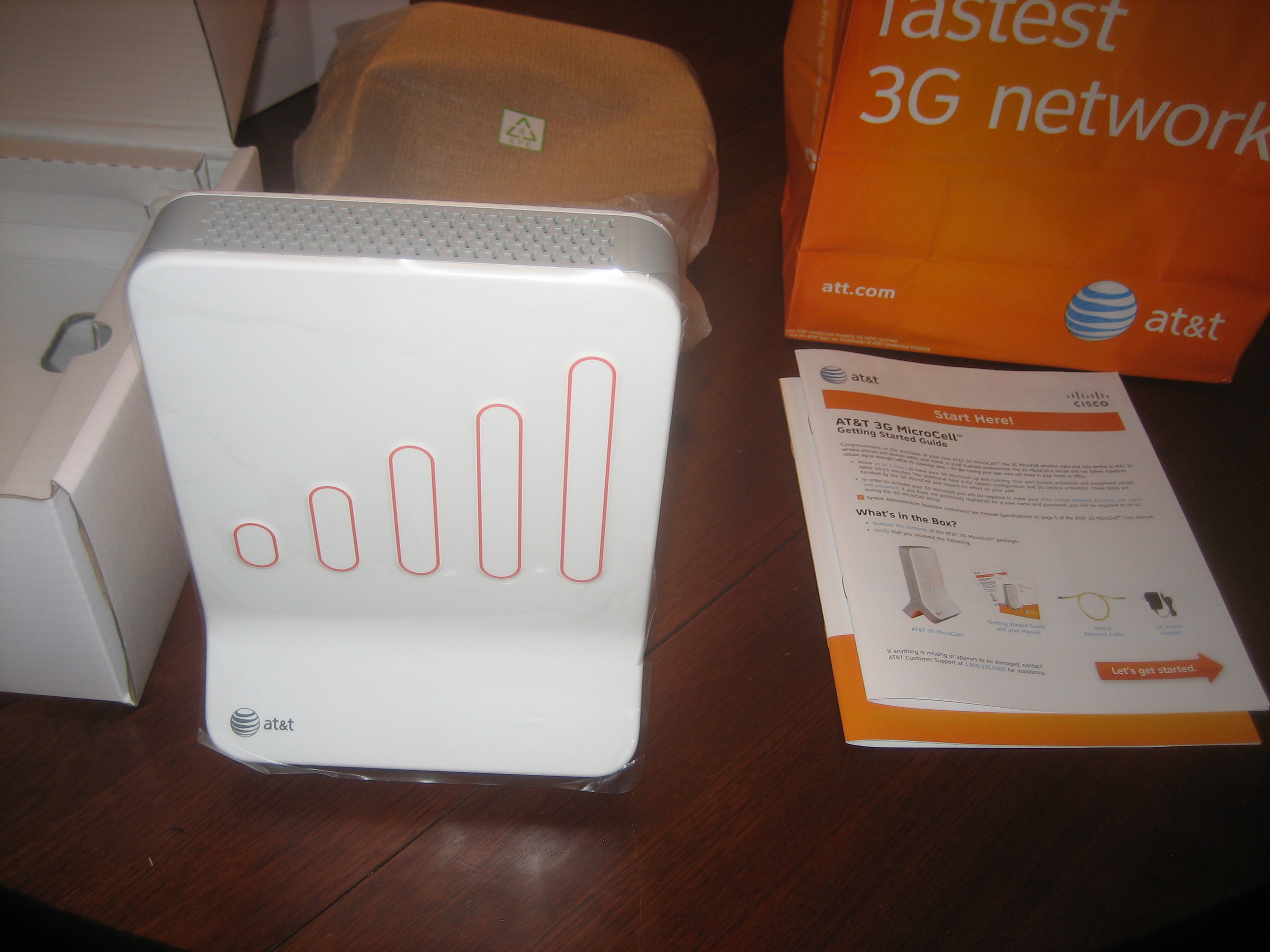
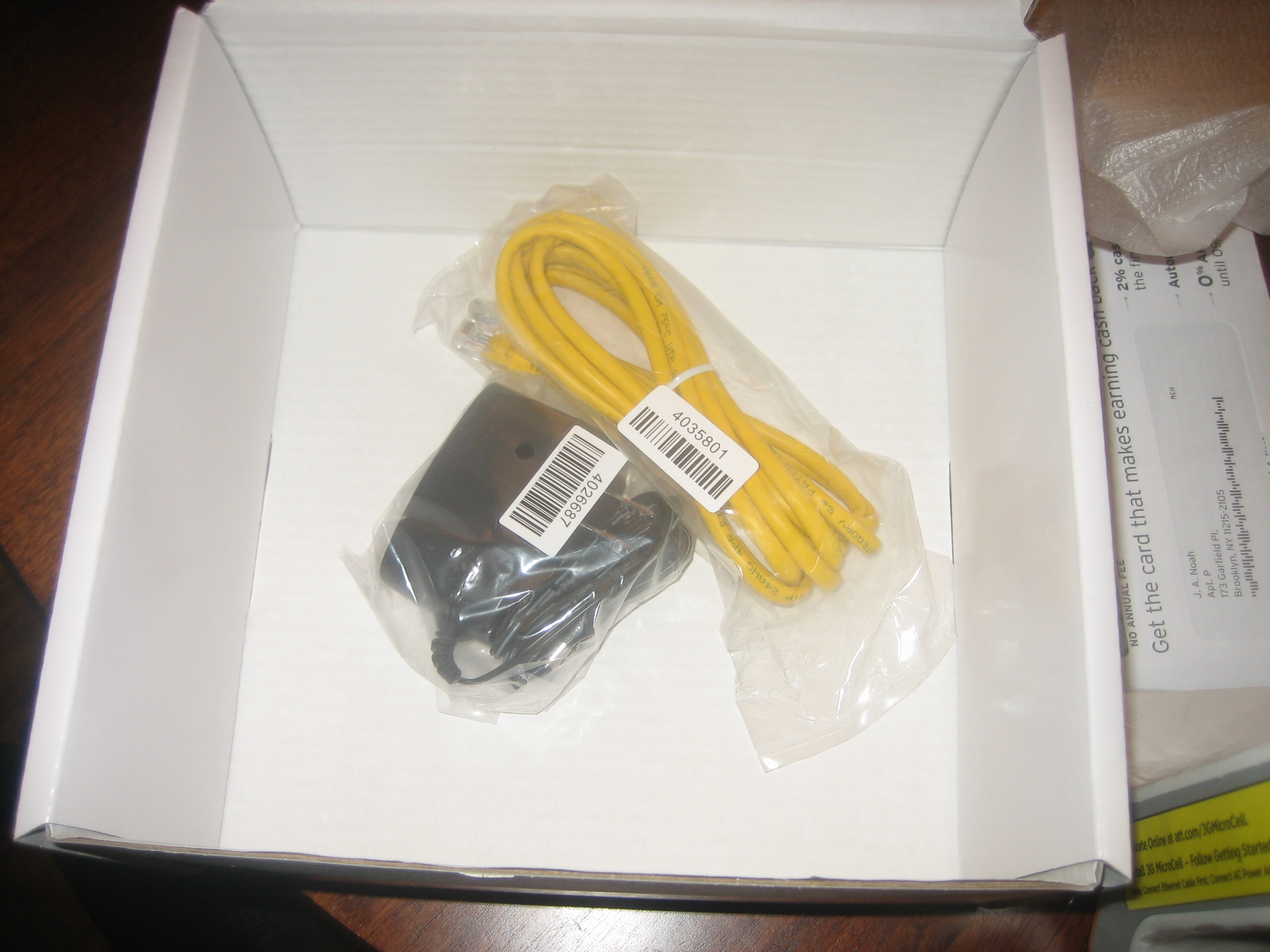
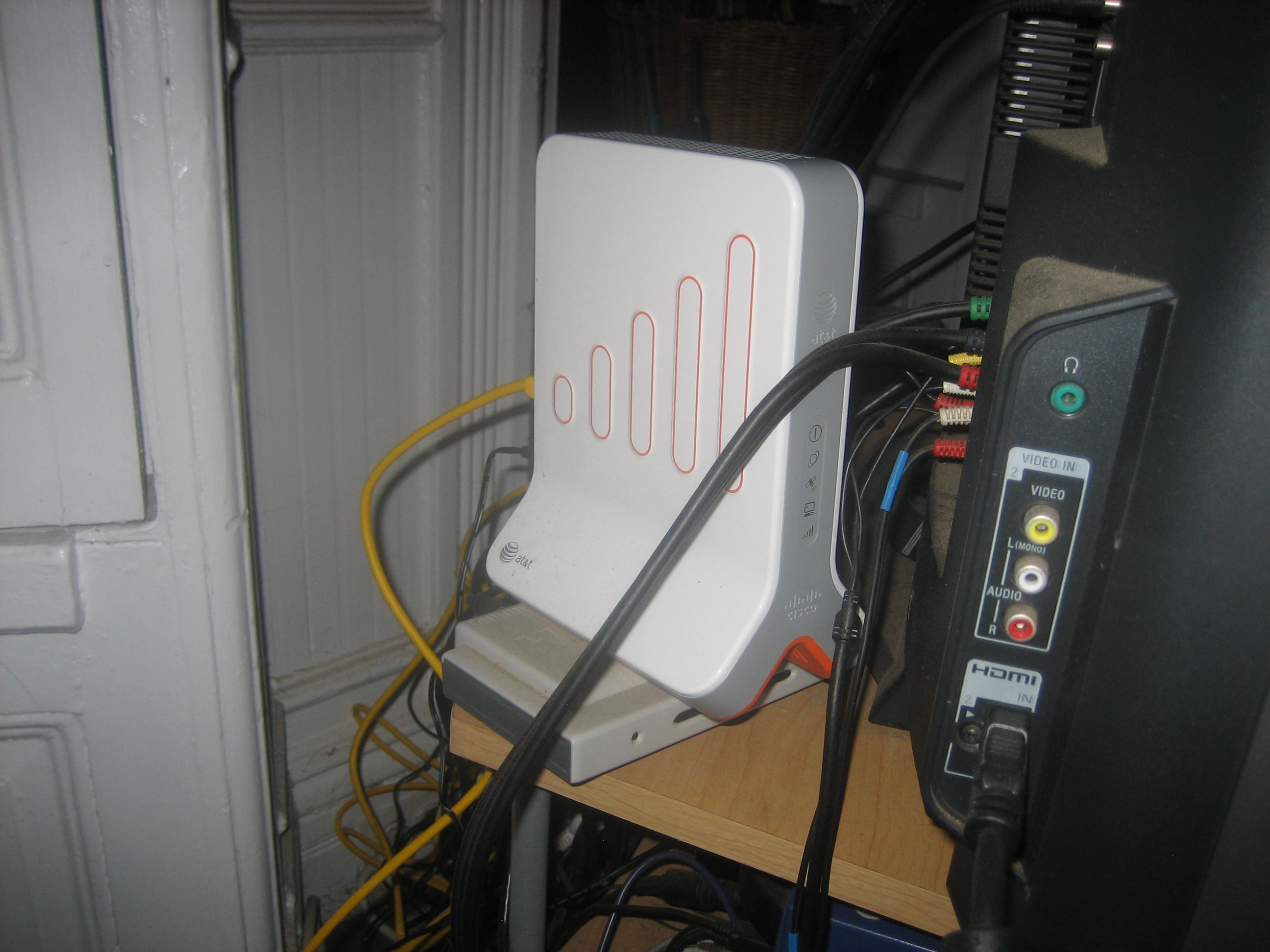
Anyway, to close this post, I will say this — the microcell works well when it works. I have 30 days from purchase to decide if it works for me well enough to warrant the $150. The new router will be here this week, and I will see how it works. Until then here are some pics of the router.

Funny retro video game short

A cute mix of 3D animation and retro video games.

AT&T to allow Sling Player over 3G

I read this on Edgadget this morning. This is a nice turn of events. First Skype is allowed to provide us with VOIP and now we can use our Sling Boxes. There is only one thing left for AT&T to do. Make the network actually work in NYC. I cant even make a phone call in my apartment. Very disappointing, but Aki’s work cell (from Verizon) doesn’t work either. I guess we are either in need of a new type of technology or maybe AT&T will get smart and release the femtocell in the New York Market….

Interesting Project Natal Video

Great and not-so-great things about the internet in Japan 2008

As I stated earlier, I am visiting Japan for the first time in 10 years this Thanksgiving break. After a couple of days, there are a few things that have really stood out to me.

Electronics are not as advanced over the rest of the world as they used to be. There are still alot of cool things here, but there is nothing I have seen so far that I am just dying to have. 10 years ago, this was very different…

The prices of things have not changed at the same rate here as in North America (ESPECIALLY Canada). The last time I was here, there were many things I wanted to buy, the the prices where prohibitively expensive. Granted, at the time I was a graduate student working on my Master’s degree and money was a bit harder to come by — but — the prices of things here is definitely cheaper. Eating out is now quite a bit cheaper than in New York City (depends on the restaurant of course).

The internet is the thing that is sticking out the most to me. 10 years ago ISDN was a luxury that most people only dreamed of. 128kbps was jsut amazing speed and you could actually download the newest version of Netscape 4 in under 1 hour. It was just great at the time. Now with fiber, cable, and DSL connections being plentiful here, I can watch TV via sling AND Video chat with friends and family through Skype for no cost at all. I spend more than $200 on phone calls the last time I was here!!

With all this good stuff, there must be some bad. The bad part of the internet experience I am finding so far is related to content filtering. It seems that many companies and providers are IP filtering connections and seem to block any connections not originating from the U.S.A. This is lame. One problem that is really bothering me is that Steam is not allowing me to download Left 4 Dead onto my laptop so I can kill some zombies. I already purchased the game and have been playing it on my desktop as well as my computer at work. I forgot to install the game on my laptop before I left, but didnt think much about it since I knew there would be a fast internet connection waiting for me in Japan. Well, to make a long story short, Steam is not allowing me to download any new content while I am connecting from Japan. I have tested this theory using VNC to my systems at work and at home. No problems there. Anyway, this lameness aside, I have found a way around other filters. SOCKS 5 Proxys are great. I installed WinSocks on my computer at home. I am connecting to the computer via Hamachi using a VPN. This allows me to not open ports on my router for this. Makes it very easy. Anyway, using a program called ProxyCap, I can redirect programs running on mylaptop to mask their IP address to that of my home system. This allows lots of things to work now. In particular, I am thoroughly enjoying watching NFL football via DirecTV’s Superfan program. It refused to connect without the proxy, but when I change the settings, I have live NFL football in all its glory right on my laptop. This is very nice.

Anyway, lots of good, and a few bad things (no killing of zombies is pretty bad…) to mention here. I will post more as the trip goes on.

Video Tutorials on Motion Capture 2

Here is the second in my series of motion capture tutorials. The first focused on setting up a naming template in Nexus. This tutorial will describe the process of cleaning optical data and filling gaps when occlusion of reflective markers occurs. The video below is part one. If you play it to the end, you will see links to the further parts.

Video Tutorials on Motion Capture

My class on motion capture started recently and I decided to post some tutorials for my students and others to watch.  You might find them useful if you are learning to use Vicon Nexus or AutoDesk MotionBuilder.  The first series is on how to set up a dot naming template in Nexus.